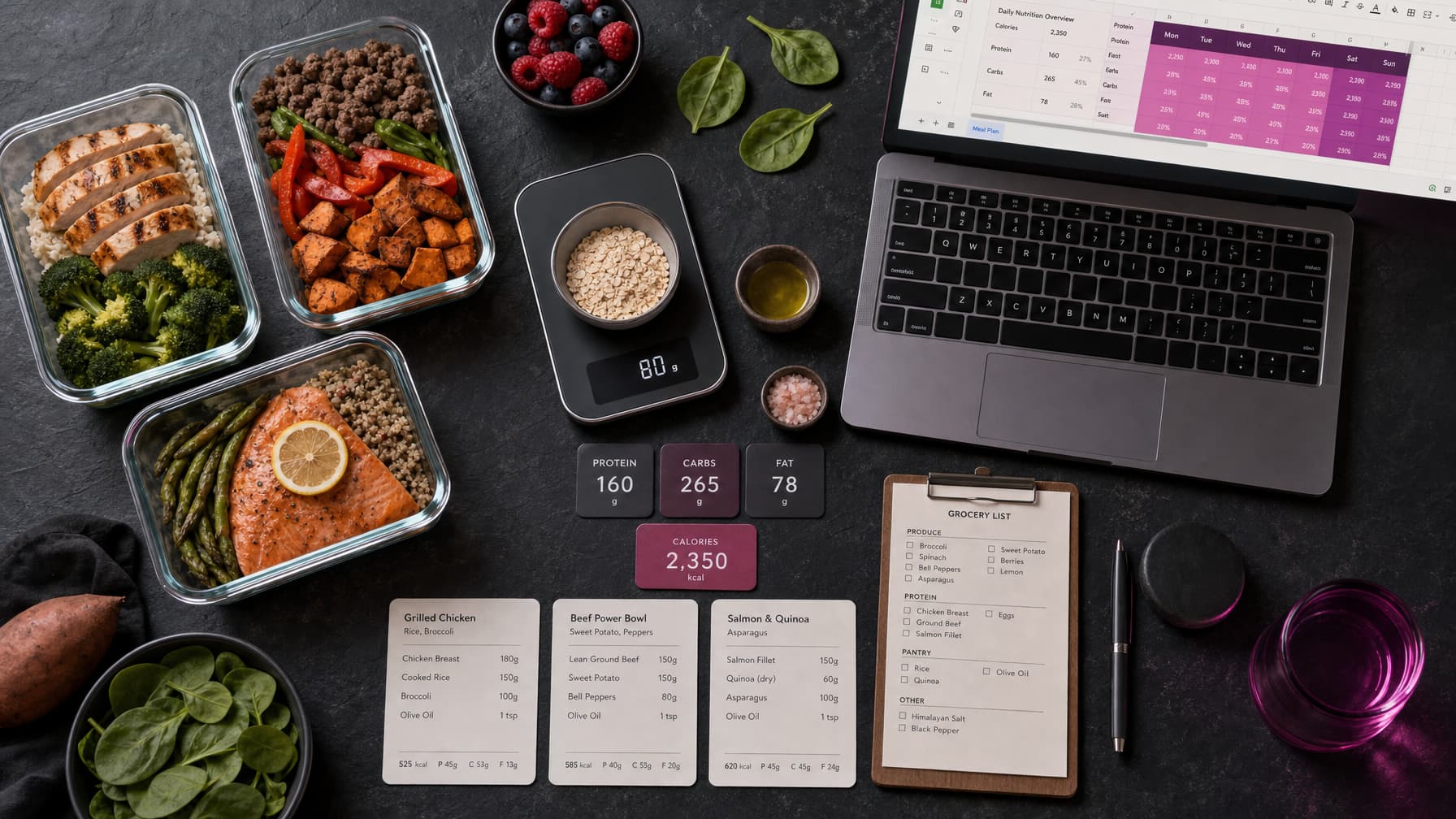
Build a Google Sheets meal plan template for online fitness coaching, with client macros, meal totals, food lookups, and weekly adherence tracking.
Use the carb cycling calculator to distribute a weekly target before entering meal quantities.
Free starter CSV downloads
Get every tab as a CSV by email, then import them into your own Google Sheet. The previews below are open to everyone and use fictional example data.
CSV files carry the layout and example rows only, not formatting, charts, checkboxes or a shared Google Form. Formula cells arrive as text: check each one, then delete the leading apostrophe to switch it on.
Client Setup
Example targets are arithmetic inputs, not dietary recommendations.
| Client | Goal | Calories | Protein g | Carbs g | Fat g | Meals/day | Preferences |
|---|---|---|---|---|---|---|---|
| Example client | Coach-set goal | 1850 | 140 | 185 | 62 | 4 | Record allergies separately with appropriate access |
Weekly Meal Plan
Values are fictional meal totals for the article’s worked example, not a nutrition analysis of named foods.
| Day | Meal | Protein g | Carbs g | Fat g | Calories |
|---|---|---|---|---|---|
| Monday | Meal 1 | 35 | 45 | 15 | 455 |
| Monday | Meal 2 | 40 | 50 | 12 | 468 |
| Monday | Meal 3 | 25 | 20 | 8 | 252 |
| Monday | Meal 4 | 40 | 70 | 27 | 683 |
Calories formula (weekly-meal-plan):
=C2*4+D2*4+E2*9Food Database
Enter values from the actual package or a named food database and record the portion basis. The example is fictional.
| Food | Basis g | Protein g | Carbs g | Fat g | Source | Checked date |
|---|---|---|---|---|---|---|
| Example food | 100 | 10 | 20 | 5 | Replace with named source | 2026-10-09 |
Adherence
Track agreed targets and reasons for changes without treating a score as medical advice.
| Date | Plan followed | Notes |
|---|---|---|
| 2026-10-09 | Partly | Review practical barriers |
Ingredients
Use consistent ingredient names and units. Rows are weekly required quantities.
| Ingredient | Amount | Unit | Meal/day |
|---|---|---|---|
| Oats | 50 | g | Monday |
| Oats | 60 | g | Tuesday |
Shopping List
Group by ingredient and unit. The formula spills into three columns after you activate it.
| Ingredient | Unit | Amount |
|---|---|---|
| Oats | g | 110 |
Ingredient formula (shopping-list):
=QUERY(Ingredients!A1:D,"select A, C, sum(B) where A is not null group by A, C label sum(B) 'Amount'",1)Need a Google Sheets meal plan template for fitness coaches? This guide shows how to set up client targets, a weekly meal plan, a food database and an adherence view for online coaching. It also shows where a ready-made system can save build time.
This is a DIY build guide. The examples below describe one structure you can build in your own sheet. GSheetsPro includes macro and meal plan templates, per-meal and per-day calculations, and an editable 200+ food database.
Here's how to build one from scratch. Or skip to the end if you would rather use one that's already done.
What a Coaching Meal Plan Template Actually Needs
Most meal plan templates you find on Etsy or Reddit are designed for individuals tracking their own food. That's not what you need. A coaching template needs to work for the coach managing 20, 30, or 50 clients at once.
That means:
- Per-client macro targets that adjust based on phase (cut, maintain, bulk)
- Weekly adherence tracking the coach can review at a glance
- Client-facing simplicity: your client sees a clean meal plan, not a wall of formulas
- Coach-facing data: you see compliance trends, calorie averages and red flags
The best nutrition systems separate what the client sees from what the coach analyses. Give each client a separate Google Sheet file with only their own plan, and keep the coach dashboard in a separate, access-restricted file. Hidden or protected tabs do not isolate confidential client data.
Building the Template: Four Core Tabs
1. Client Setup
This is your configuration tab. For each client, define:
| Field | Example |
|---|---|
| Name | Sarah J |
| Goal | Fat loss |
| Phase | Cut, Week 6 |
| Daily calories | 1,850 |
| Protein (g) | 140 |
| Carbs (g) | 185 |
| Fat (g) | 62 |
| Meals per day | 4 |
| Preferences | No dairy, low gluten |
These values feed into every other tab. Change the macro targets here and the entire meal plan updates automatically. When a client moves from a cut to a reverse diet, you update one row rather than an entire document.
2. Weekly Meal Plan
This is the client-facing tab. Keep it dead simple:
| Day | Meal 1 | Meal 2 | Meal 3 | Meal 4 | Daily Total |
|---|---|---|---|---|---|
| Mon | Eggs + oats (P: 35, C: 45, F: 15) | Chicken + rice + veg (P: 40, C: 50, F: 12) | Greek yoghurt + berries (P: 25, C: 20, F: 8) | Salmon + sweet potato (P: 40, C: 70, F: 27) | P: 140, C: 185, F: 62 |
Each meal shows protein, carbs, and fat. The daily total auto-calculates and highlights green when it's within 5% of the target, amber within 10%, and red beyond that.
Worked macro example
For Sarah J's Monday plan, add the meal values before checking the daily target:
- Protein: 35 + 40 + 25 + 40 = 140g, which provides 560 kcal at 4 kcal per gram.
- Carbohydrate: 45 + 50 + 20 + 70 = 185g, which provides 740 kcal at 4 kcal per gram.
- Fat: 15 + 12 + 8 + 27 = 62g, which provides 558 kcal at 9 kcal per gram.
- Total: 1,858 kcal from the rounded macro values. That is 8 kcal above the 1,850 kcal target, or 0.4%, so it sits within a 5% tolerance.
Food labels and macro values are often rounded. Treat the total as a practical check, then use the same source and serving sizes for each client.
Your clients don't need to log food in an app. They follow the plan, tick off what they ate, and note any swaps. You review it during their weekly check-in.
3. Food Database
Build a simple lookup table of foods your clients commonly eat:
| Food | Serving | Calories | Protein | Carbs | Fat |
|---|---|---|---|---|---|
| Chicken breast | 150g | 248 | 46 | 0 | 5 |
| Basmati rice | 75g dry | 262 | 5 | 58 | 1 |
| Eggs | 2 large | 156 | 12 | 1 | 11 |
| Oats | 50g | 189 | 7 | 34 | 3 |
| Salmon fillet | 150g | 312 | 34 | 0 | 19 |
Use VLOOKUP or INDEX/MATCH to pull values into the meal plan tab. When you add a food to the database once, every client template can reference it. Over time, this becomes your coaching-specific nutrition library. It is more useful than a generic database with 50,000 foods your clients will never eat.
4. Adherence Dashboard (Coach View)
This tab is for your eyes only. It pulls data from each client's meal plan to show:
- Weekly calorie average vs target (are they hitting it?)
- Protein consistency: the macro that matters most for body composition
- Adherence score: percentage of planned meals actually eaten
- Trend line: are they improving, maintaining or slipping?
Conditional formatting makes this scannable in seconds. Green rows are on track. Red rows need your attention. You open this tab once a day and know exactly which clients to message.
This follows the same principle as building coaching systems that scale. A consistent dashboard reduces monitoring admin and leaves more time for coaching.
Scaling to Multiple Clients
Here's where most coaches get stuck. One meal plan template works. But duplicating it 30 times creates a maintenance nightmare.
Two approaches that work:
Option A: One spreadsheet per client. Duplicate your master template for each new client. They get their own Google Sheet with their meal plan and check-in tabs. Keep your access-restricted coach roster and adherence dashboard in a separate file, with links to each individual sheet in your master client roster. This gives clients a clean, private experience.
Option B: One master spreadsheet with per-client tabs. Keep this file coach-only, or use it only for non-confidential planning. Hidden or protected tabs are not a substitute for separate access controls. This option can work when clients receive meal plans as PDFs or through a messaging app.
For client privacy, Option A is the safer default. It is also easier to archive when a client finishes their programme.
Tips That Save Hours
Use named ranges for macro targets. Instead of referencing B2 everywhere, name it protein_target. Formulas become self-documenting and harder to break.
Build a swap library. Clients will ask "can I swap chicken for turkey?" Create a tab of equivalent swaps so they can self-serve without messaging you every meal.
Colour-code phases. Cut phases get a blue header. Maintenance gets green. Bulk gets orange. When you open any client's sheet, you instantly know their current phase.
Template your common plans. If 60% of your clients start with the same fat-loss meal structure, save it as a template. Personalise the macros and food preferences. Do not rebuild the entire plan each time.
For more templates that cover training plans, progress tracking, and client onboarding alongside nutrition, check out 5 Google Sheets templates every online fitness coach needs.
Skip the Build: Use What's Already Proven
Building a meal plan template takes more than the initial setup. You also need to maintain formulas, check source values and scale the file safely across clients.
GSheetsPro includes macro and meal plan templates, per-meal and per-day macro calculations, an editable 200+ food database, check-in sheets and weekly progress tracking as part of the full coaching system. It costs £199 once, has no subscription, and is built for online fitness coaches managing client loads.
Shopping list: aggregate the week
Add an Ingredients tab with A: ingredient, B: amount, C: unit, D: meal/day. For example, use two rows for oats: 50 g on Monday and 60 g on Tuesday. Keep grams and millilitres separate. In Shopping List!A1, use:
=QUERY(Ingredients!A1:D,"select A, C, sum(B) where A is not null group by A, C label sum(B) 'Amount'",1)
The oats total is 110 g. Do not sum an ingredient measured in different units without a defined conversion. Review package sizes and what the client already has.
Meal prep version
Group meals by preparation day. Add portions, storage instructions supplied by the recipe, and planned serving dates. Multiply each ingredient amount by the portions required before it reaches the shopping list. This is a planning structure, not food-safety advice.
Estimates for planning, not medical advice. Use the macro calculator sheet and ChatGPT meal plan prompt with coach review.