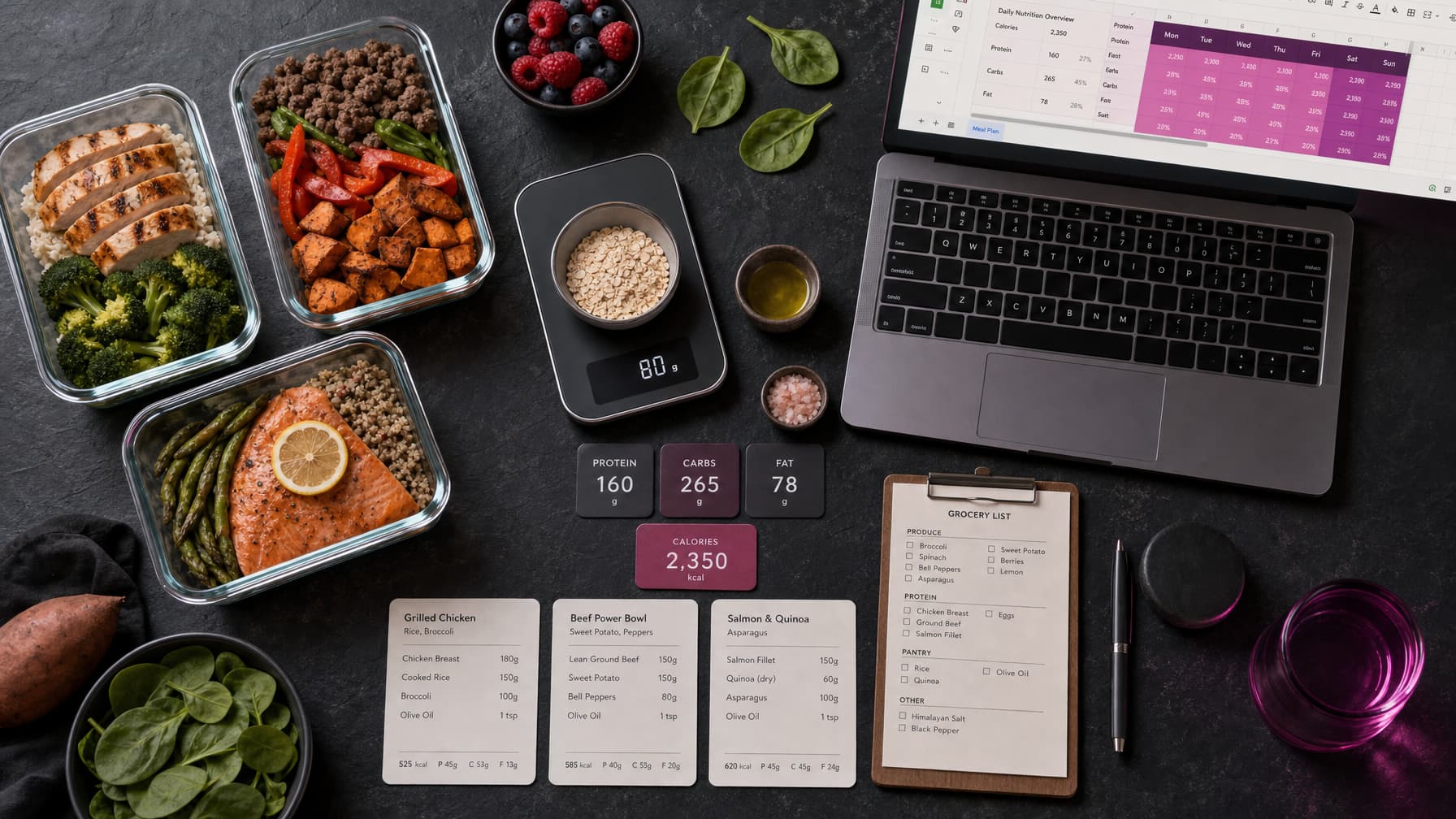
Four complete ChatGPT meal plan prompts for fitness coaches: a macro-matched day, a 7-day rotating plan, a swap list and a shopping list. Includes how to check the numbers and when to refer a client out.
A ChatGPT meal plan prompt can save a coach an hour per client. It can also produce a plan with wrong food values, foods the client hates and portions nobody would eat. The difference is the prompt.
This guide gives you four complete prompts built for coaches, not for the general public. Each one assumes you have already set the calorie and macro targets. The AI's job is to turn your numbers into practical food. It does not decide the numbers.
Before You Start: Three Rules
1. Set targets first. Work out calories and macros with your own method. If you need one, our macro calculator in Google Sheets shows the formulas step by step.
2. Check every value. Language models estimate food values, and estimates can be wrong. Check totals against food labels or your own food database before a client sees the plan.
3. Know when to refer out. Do not use these prompts for clients with a medical condition (for example diabetes, kidney disease or a diagnosed gut condition), eating disorder history, pregnancy or medication that affects appetite or blood sugar. Refer those clients to their GP or a registered dietitian.
Every prompt below repeats these rules inside the prompt, so the model flags problems instead of working around them.
Prompt 1: One Day That Matches Your Macros
This is the core prompt. Use it to build a template day you can then vary.
You are a nutrition assistant working for a qualified fitness coach. The
coach sets all targets and reviews every plan before a client sees it.

TARGETS (fixed, do not change)
- Calories: [e.g. 1,900 kcal]
- Protein: [e.g. 140 g]
- Fat: [e.g. 60 g]
- Carbohydrate: [e.g. 195 g]
- Fibre: at least [e.g. 25 g] if possible

CLIENT
- Meals per day: [e.g. breakfast, lunch, dinner, 1 snack]
- Training time: [e.g. 6 pm, so a larger carb portion at lunch and dinner]
- Likes: [list]
- Dislikes and exclusions: [list]
- Dietary pattern: [e.g. none / pescatarian / halal]
- Budget: [e.g. moderate, supermarket own-brand is fine]
- Cooking skill and time: [e.g. basic, 20 minutes on weekdays]
- Location: United Kingdom. Use foods from UK supermarkets and metric units.

TASK
Write one day of meals that lands within 5% of each macro target.

FORMAT
1. A table: Meal | Food | Quantity (g or ml) | kcal | Protein | Fat | Carbs
2. A subtotal row for each meal and a total row for the day.
3. A line showing the difference between the totals and each target.

RULES
- Label all values as estimates for the coach to verify.
- Use raw or cooked weights consistently and state which one you used.
- Do not suggest supplements unless I ask.
- If I mention any medical condition, eating disorder history, pregnancy or
  medication, do not write the plan. Tell me to refer the client to a GP or
  registered dietitian.
The "difference from target" line is important. It makes the model show its working, so you can see at a glance where it drifted.
Prompt 2: Seven-Day Rotating Plan
Most clients do not want seven different recipes. They want two or three options per meal that they can rotate.
You are a nutrition assistant working for a qualified fitness coach.

Use the same TARGETS, CLIENT and RULES as below.
[Paste the TARGETS, CLIENT and RULES sections from your one-day prompt.]

TASK
Build a 7-day plan using a rotation, not seven unique days.
- 2 breakfast options
- 3 lunch options
- 3 dinner options
- 3 snack options
Each option must fit the same slot in the daily macro budget, so any
breakfast can pair with any lunch and still hit the day's targets within 5%.

FORMAT
1. The macro budget per meal slot (kcal, P, F, C).
2. Each option as a small table with foods, grams and macros.
3. A 7-day grid showing which option is used each day.
4. Batch-cooking notes: what to prepare on Sunday and Wednesday.

Keep the plan realistic for someone who works full time.
Giving each meal slot a fixed budget is what makes the options interchangeable. It also makes the plan easy to move into a spreadsheet. Our meal plan template guide shows how to structure that sheet.
Prompt 3: Food Swap List
Swap lists cut the number of "can I eat X instead?" messages you receive.
You are a nutrition assistant working for a qualified fitness coach.

TASK
Create a swap list for my client based on the foods in this plan:
[Paste the meal plan table]

For each main food, give 3 swaps that provide similar macros for the same
role in the meal (protein source, carb source, fat source).

FORMAT
A table: Original food | Quantity | Swap | Swap quantity | kcal | P | F | C

RULES
- Adjust swap quantities so the main macro for that food stays within 10%.
- Use UK supermarket foods and metric units.
- Respect these exclusions: [list].
- Label all values as estimates for the coach to verify.
Prompt 4: Shopping List and Prep Plan
You are a practical meal-prep assistant.

TASK
Using this 7-day plan: [paste plan or rotation grid]
1. Write a shopping list grouped by supermarket section (meat and fish,
   dairy, fruit and veg, cupboard, frozen).
2. Give quantities for one person for 7 days, rounded to normal pack sizes
   sold in UK supermarkets.
3. Write a 60-minute Sunday prep plan in time order.
4. List which meals should be cooked fresh rather than prepped, and why.

Keep it simple. Assume basic kitchen equipment.
This prompt has no nutrition decisions in it, so it is low risk. It is also the one clients often value most.
How to Check the Output in Five Minutes
- Check the totals. Add the table yourself, or paste it into a sheet with a
SUMrow. Models sometimes add incorrectly. - Spot-check three foods. Pick the three biggest contributors and compare them with label data.
- Check raw vs cooked weights. Rice, pasta and meat change weight a lot when cooked. Make sure the plan says which it uses.
- Check portions for sense. Would a real person eat 380 g of Greek yoghurt at 10 pm? If not, ask the model to fix it.
- Check exclusions. Search the plan for any food the client said they avoid.
If a plan fails two of these checks, ask the model to rebuild it rather than patching it line by line.
Common Mistakes
- Letting AI set the targets. It will produce numbers, but it has not assessed the client. Keep that decision with you.
- Asking for "a healthy meal plan". Without targets and preferences, you get a generic plan that fits nobody.
- Skipping the location. Without "United Kingdom", you get US brands, cups and ounces.
- Pasting health details. Keep client data minimal. Do not paste medical records into consumer AI tools.
Get More Plan Prompts
The four prompts above are complete and free. The Plan Creator pack in the AI Coaching Toolkit (£49) adds prompts for different diets, goals, training phases and review steps, plus matching training plan prompts. You can also get all three Toolkit packs for £79.
Plans also need a home. GSheetsPro is a £199 one-off Google Sheets system with meal plan templates, a food database and check-in tracking, so you can move a reviewed AI draft into a client file and track adherence each week.
FAQ
What is the best ChatGPT prompt for a meal plan?
A good prompt includes fixed calorie and macro targets, client preferences and exclusions, meals per day, location and units, a table format and rules for flagging medical cases. Prompt 1 above includes all of these.
Can ChatGPT calculate macros accurately?
It can estimate them. Food values and totals can be wrong, so check the table with a spreadsheet and label data. Set targets with your own calculation method, not the model's.
Can I give an AI meal plan straight to a client?
No. Review it first. Check totals, food values, portions and exclusions. The coach is responsible for what the client receives.
Which clients should not get an AI-drafted meal plan?
Clients with a medical condition, eating disorder history, pregnancy, or medication that affects appetite, weight or blood sugar. Refer them to a GP or registered dietitian and work within that professional's guidance.
Does this work with Claude or Gemini?
Yes. The prompts use a plain structure that works across the main chat tools. Check the output the same way whichever tool you use.